Features
Everything your firm needs to turn a client’s story into affidavit evidence: a guided chat for clients and witnesses, a matter workspace for solicitors, organised facts, and drafts you can check line by line.
Screens on this page are illustrations with sample data.
Client chat
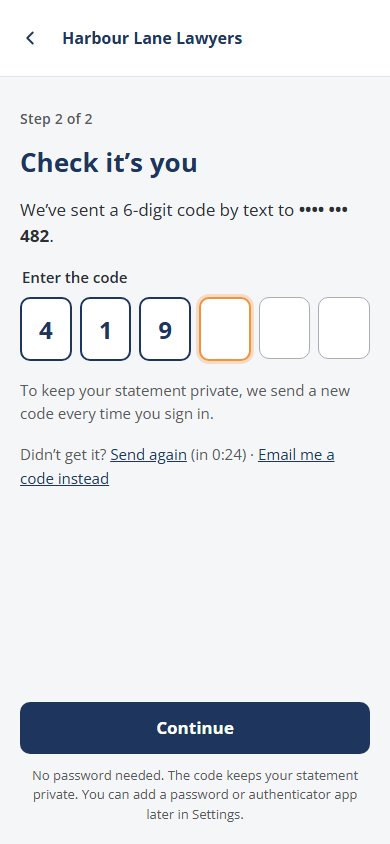
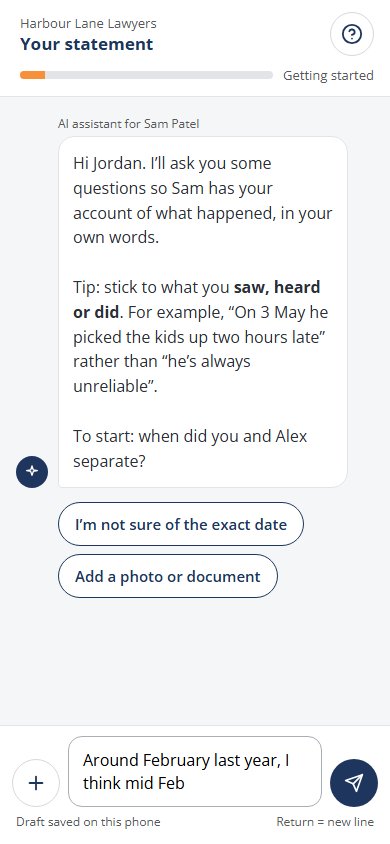
Clients and witnesses tell their story in a simple chat on their phone. An AI assistant working for their solicitor asks one question at a time and draws out what they saw, heard and did.
- No app and no password: a link and a fresh one-time code at every sign-in.
- Gently turns opinions into specific, dated facts.
- Asks about every angle you are running at once, and about each claim in the other side’s affidavit.
- Photos, PDFs and documents can be added mid-conversation.
- Never predicts outcomes or gives legal advice, and always says it is an AI.
- SMS and email reminders if someone stops part-way.
Matter workspace
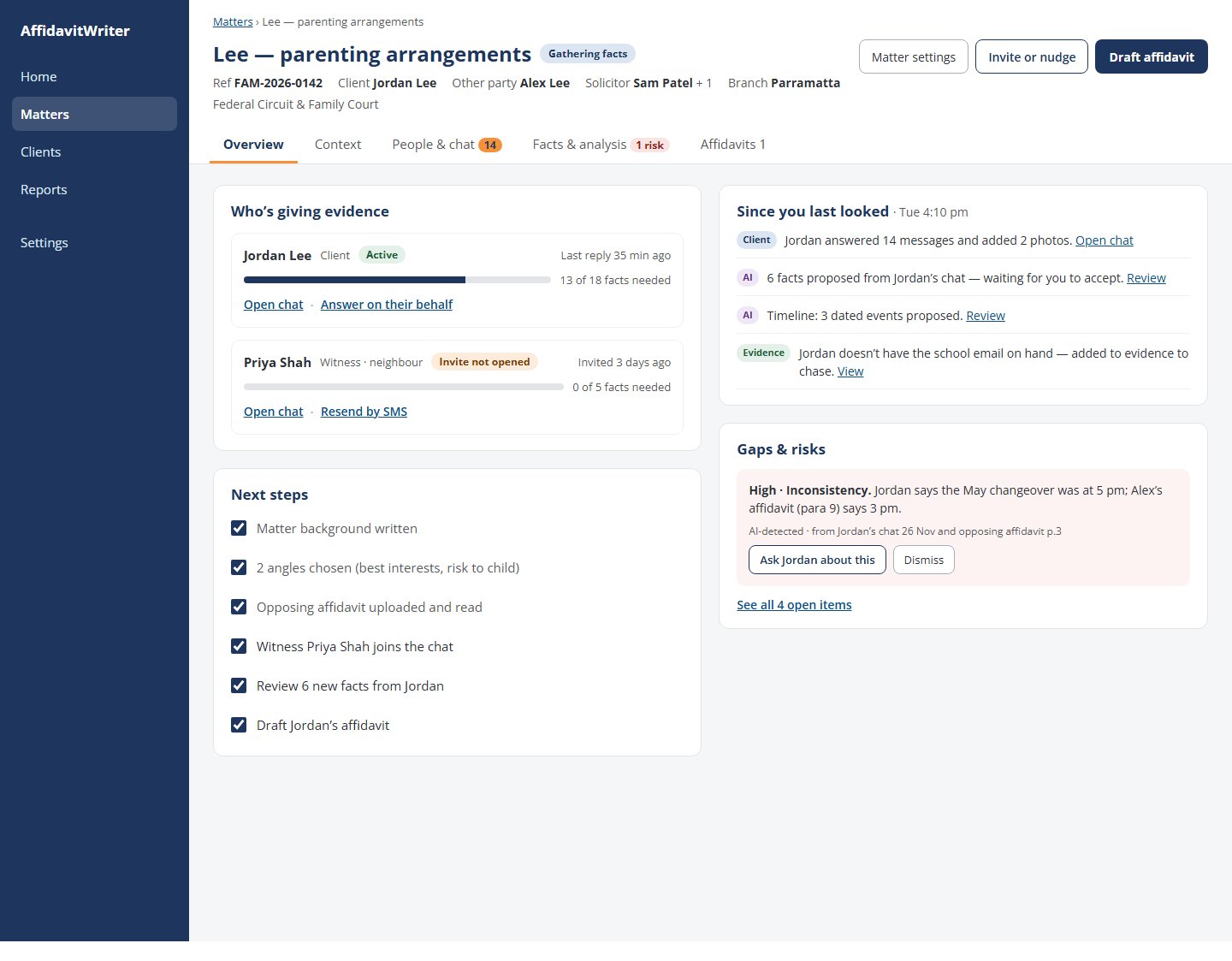
One place per matter for the brief, the angles you are pursuing, the other side’s material and everyone giving evidence.
- A home screen of what needs you: new answers, stalled clients, unopened invites and drafts to review.
- Templates for family, employment, traffic and other common matter types.
- Invite the client and any number of witnesses — each with their own chat and affidavit.
- Branches with head-office visibility, and Admin, Solicitor and Paralegal roles.
- One primary solicitor per matter, with colleagues able to help.
Facts and registers
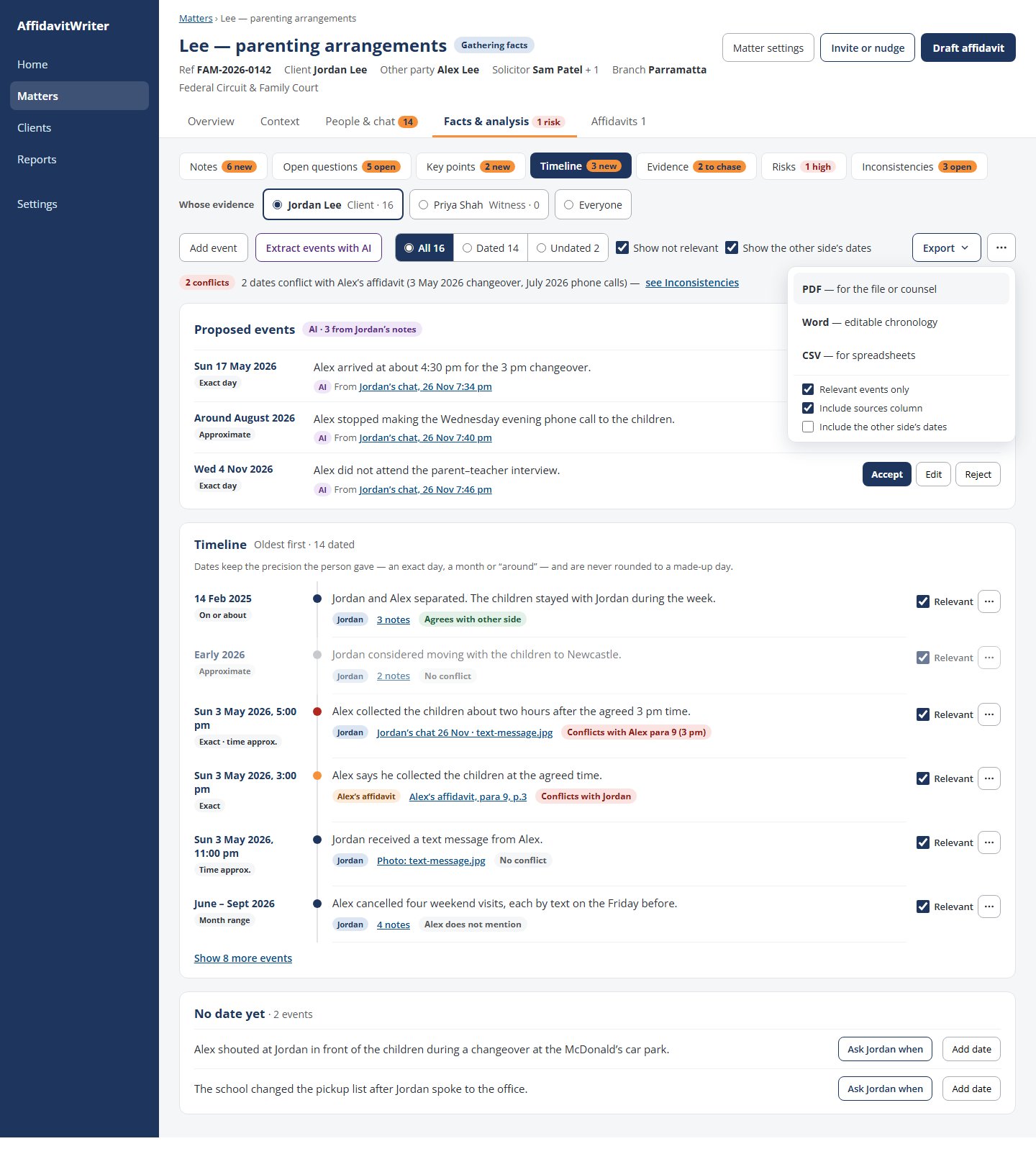
As people answer, the AI proposes facts, timeline events, key points, evidence to chase and risks. Nothing is added until a member of your team accepts, edits or rejects it, and every item links back to the message it came from.
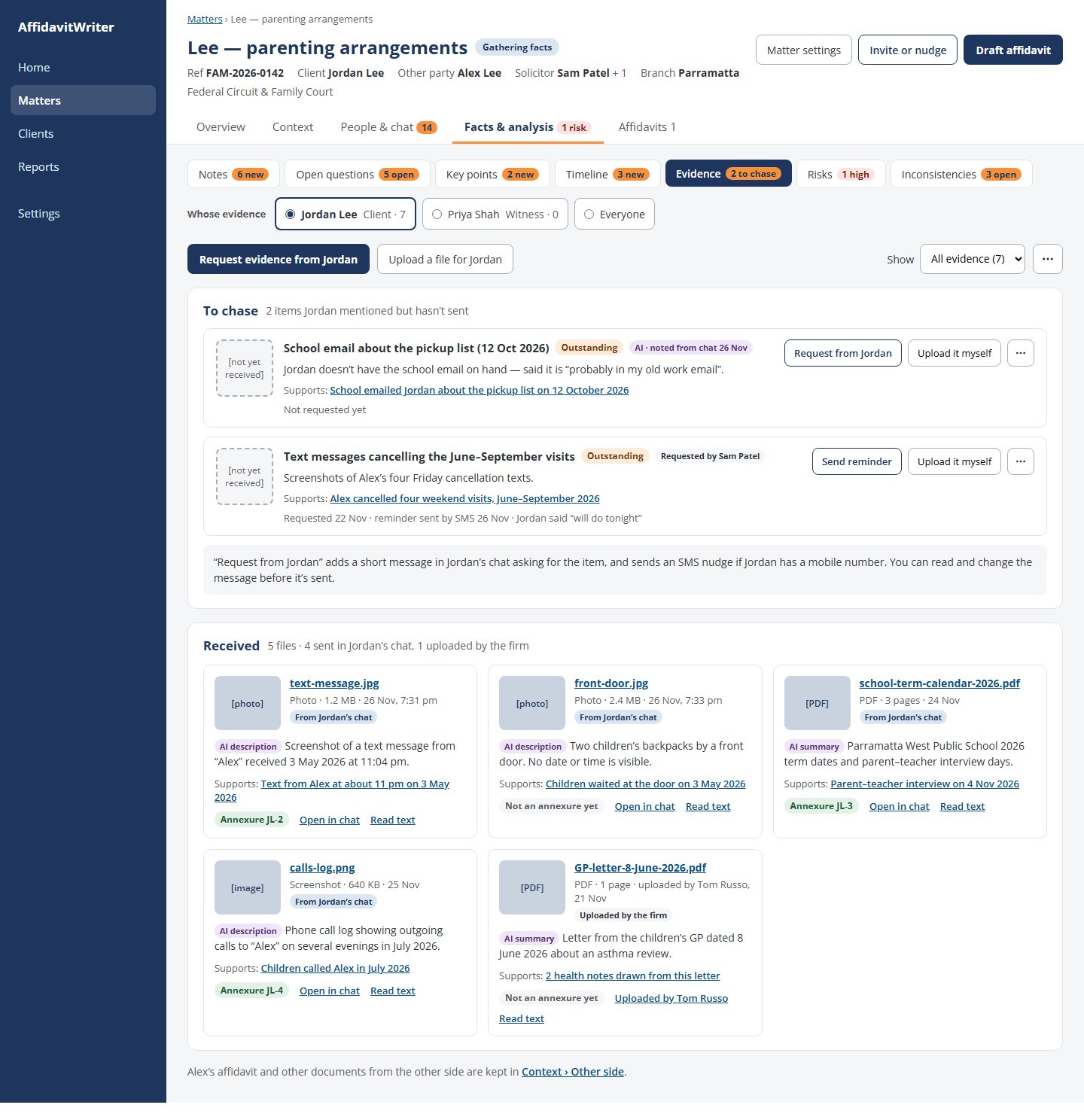
Notes
First-hand facts distilled from each chat turn, kept per person and never blended across people.
Open questions
What each angle still needs, so you can see at a glance what the chat will ask next.
Key points
A curated summary of the facts that matter most, re-checked when your angles change.
Timeline
Dated and undated events, with “Extract events with AI” and export to PDF, Word or CSV.
Evidence
Files sent in the chat or uploaded by your team, plus outstanding items to request with one click.
Risks and inconsistencies
Solicitor-only gaps and conflicts, each one a click away from a follow-up question in the client’s chat.
Affidavit drafting with sources
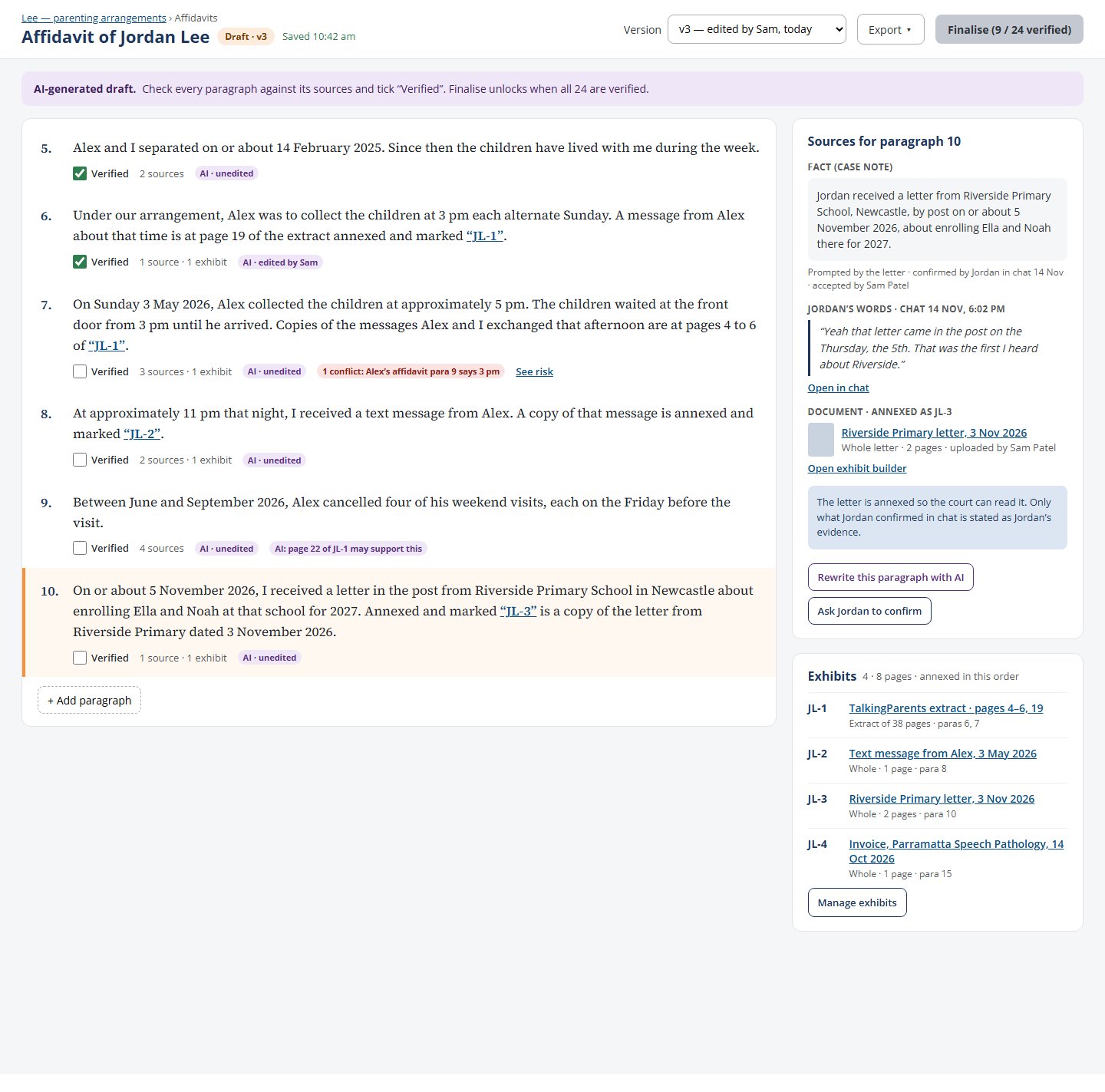
A solicitor gives a short focus and the AI drafts numbered paragraphs from that person’s accepted facts only. Beside each paragraph you see where it came from.
- Sources beside every paragraph: the fact, the person’s own words and any evidence.
- Conflicts with the other side are shown where they matter.
- Tick each paragraph as verified; finalising unlocks when all are checked.
- Rewrite a paragraph with AI, or ask the client to confirm a detail in their chat.
- Version history, and only solicitors can finalise.
Export and court formats
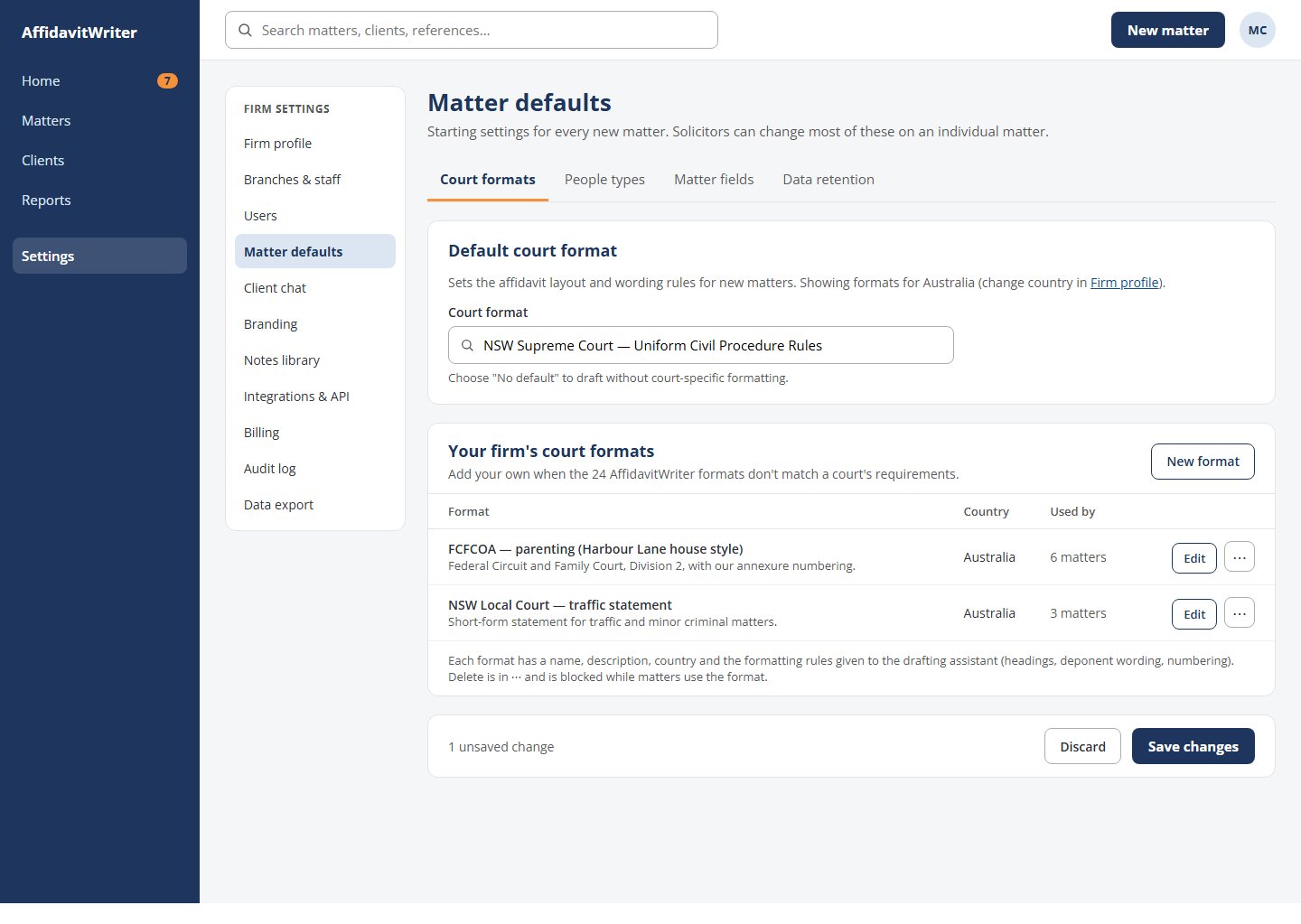
Court formats set the heading, deponent wording and paragraph numbering the draft follows. Choose one for the whole firm, and change it on any matter.
- Built in today: Federal Court of Australia, NSW Supreme Court and VIC Magistrates’ Court.
- Another court or country? Add your court’s format, with its own country, and use it on any matter.
- Export to Word or PDF, with your firm’s letterhead and annexures from the evidence register.
- Drafts carry a “not for filing” footer; a separate worksheet with sources stays on your file.
- Save straight to Clio if your firm connects it.
- Signing and witnessing happen outside AffidavitWriter, under your court’s rules.
Security
Built for evidence people may never have told anyone else.
- Your data and AI processing are kept in Australia (Sydney). UK, US and EU regions are coming soon.
- Two-step sign-in for staff, clients and witnesses, every time.
- Firm, branch and person isolation enforced by the system.
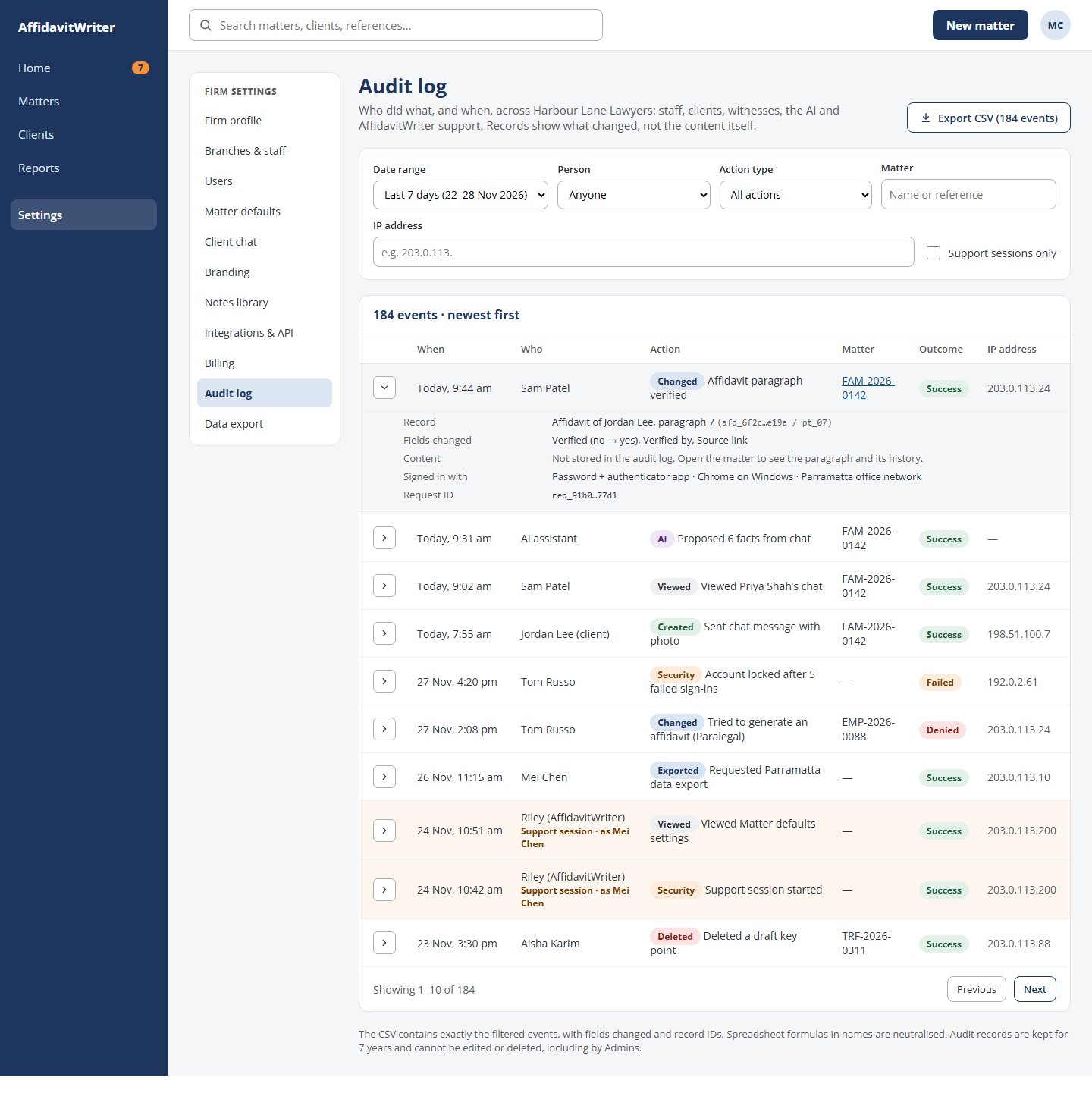
- A complete audit trail, searchable and exportable by your admins.
- Your retention period for closed matters, and full data export.
- Your data is never used to train AI models.
See it on one of your own matter types
A 30-minute online walkthrough in your time zone. Or compare plans and start on Pay As You Go.